The Math Node (MathNode) provides a high-performance numerical calculation and signal conditioning engine, supporting basic arithmetic, logical bounding, range mapping, custom JavaScript mathematical expressions, and multi-element sequence processing.
Create with an operation selected
Open Add Node and search for the operation you need, such as Multiply, Map Range or Custom Equation. Results use concise names such as Multiply (Math) and Custom Equation (Math). Click a result or highlight it with Up / Down and press Enter to create the node with that operation already selected.
Search for Math to see all 15 operations:
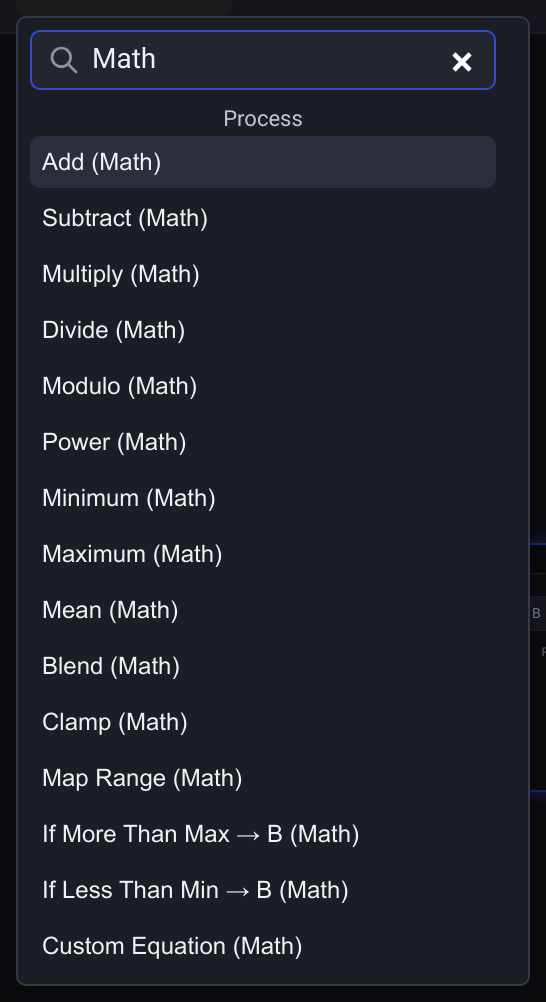
With an empty search, the compact Process → Math entry still creates an Add node. You can change the Operation selector on any Math node afterward.
Manual input values
When an input has no cable, enter its value beside the port name. Decimal and negative values have space beside the step buttons; for example, set B to 2.5 to multiply A by that amount.
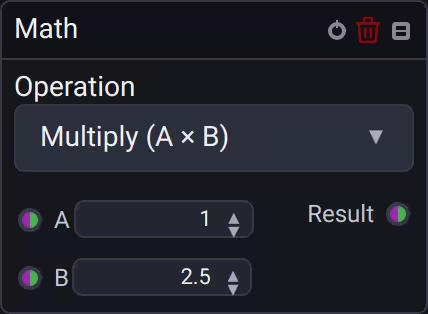
Press Enter, press Tab or click elsewhere to apply typed text. Escape restores the current value. Up, Down and the step buttons apply a step immediately, starting from any usable draft.
🧮 Numeric & Sequence Polymorphism
The Math Node operates as a numeric-polymorphic processor across both scalar numbers and sequences:
- Scalar Operations: When all connected inputs are scalar numbers, the result is a scalar number.
- Sequence Vectorization: When any input is a sequence (array of numbers), the operation produces an output sequence whose length matches the longest input sequence.
- Scalar Broadcasting: Single scalar inputs are automatically broadcast to every element of the sequence (e.g.
[1, 2, 3] * 0.5yields[0.5, 1, 1.5]). - Cyclic Sequence Alignment: Shorter sequences automatically repeat cyclically to fill the length of the longest sequence (e.g.
[1, 2] + [10, 20, 30, 40]yields[11, 22, 31, 42]). - Empty Sequence Handling: If any connected sequence input is empty, the calculation produces an empty sequence output.
⚙️ Operation Modes
1. Basic Arithmetic
Add (A + B): Sum two signals (e.g. adding a scalar baseline offset to an oscillator sequence).Subtract (A - B): Subtract signal B from A.Multiply (A × B): Amplitude scaling (e.g. Master Dimmer multiplying a chasing wave sequence).Divide (A ÷ B): Frequency scaling or ratio calculations.Power (A ^ B): Exponential curves for perceptual LED brightness correction.
2. Logic, Clamping & Bounding
Minimum / Maximum: Limit signals to lowest or highest peak.Mean: Average between two inputs or sequences.Blend (A to B): Crossfade between signals using a float weight (0.0 – 1.0).Clamp (Min/Max): Constrains output strictly between lower and upper boundaries.Map Range: Linearly maps an input range (fromMin..fromMax) to a target range (toMin..toMax).
3. Custom JavaScript Equations
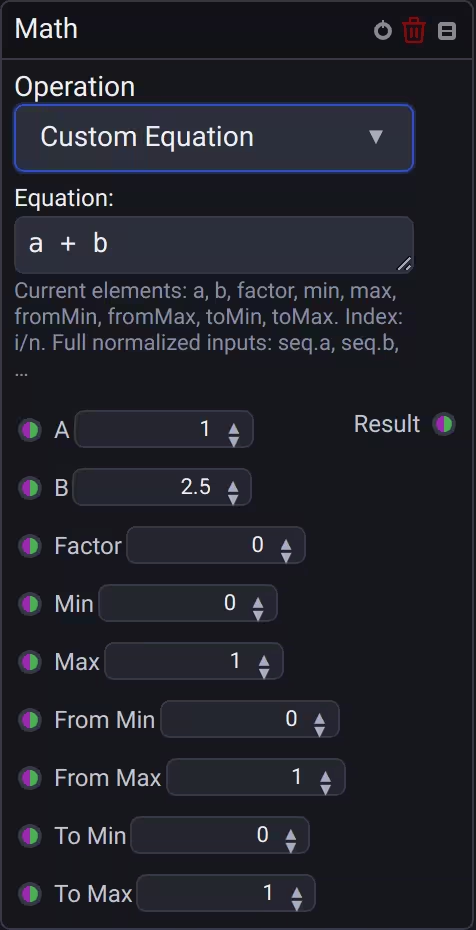
The equation field starts at a compact minimum width. Drag its bottom-right corner to widen or heighten it; narrowing the field also narrows the node back to its minimum width. The variable reference below wraps to the field's width.
Select Custom Equation to evaluate arbitrary mathematical expressions using native JavaScript:
- Per-Element Evaluation: Custom equations are evaluated once for each element in the resulting sequence.
- Re-evaluation: An equation runs again every time a connected input updates, even if the value is unchanged. Equations that use
Math.random(),Date.now(),new Dateorperformance.now()also produce a new result each time the graph is enabled. - Scalar Element Variables:
a,b,factor,min,max,fromMin,fromMax,toMin,toMaxprovide the current scalar values for elementi. - Index & Length Variables:
i: Zero-based index of the current element (0, 1, 2, ..., n - 1).n: Total length of the result sequence.
- Full Sequence Access:
seq.<name>exposes full normalized input sequences. For example,seq.agives access to the entire array of inputA:// Cyclic spatial neighbor modulation a + seq.a[(i + 1) % n]
// Index-based phase progression Math.sin(a Math.PI 2 + (i / n) Math.PI) 0.5 + 0.5
> [!NOTE]
> Custom equations must return a finite number for each element. Non-finite or invalid results evaluate to zero and flag the equation as invalid in the UI.

---

## 🔌 Sockets Reference

| Socket | Direction | Data Type | Description |
| :--- | :--- | :--- | :--- |
| **A** | Input | `Number` / `Sequence` | Primary operand (scalar or sequence). |
| **B** | Input | `Number` / `Sequence` | Secondary operand (scalar or sequence). |
| **Result** | Output | `Number` / `Sequence` | Calculated scalar number or polymorphic sequence. |