Unilighter features a dual-engine animation system designed to handle everything from punchy, tempo-locked rhythmic chases to fluid, multi-parameter theatrical sweeps and complex moving head choreography.
🎭 Three Animation Paradigms
Depending on whether your lighting cues require discrete stepped states, continuous parametric motion curves, or 2D spatial surface mapping, Unilighter provides three dedicated animation engines:
| Feature | 🏃 Step Animations | 🎞️ Keyframe Animations | 🌐 Choreography Animations |
|---|---|---|---|
| Model | Discrete steps / chase sequences | Continuous multi-track parametric timeline | 2D spatial canvas & emitter pixel mapping |
| Interpolation | Hold duration + step crossfade | Bézier curves, easing transitions, linear ramps | Frame-to-frame raster morphing & procedural LFOs |
| Best For | Rhythmic chases, color bumps, strobe hits | Fluid pan/tilt sweeps, ballyhoos, theatrical fades | LED bars, stage sweeps, radial ripples, pixel arrays |
| Timing | Millisecond hold or 1-beat snap (On Beat) |
Milliseconds (ms) or musical beats (beats) |
Musical beats (beats) or milliseconds (ms) |
| Generators | Step Generator (Odd/Even, One by One, Fill) | LFO wave generator curves per track | 2D spatial generators (Sweep, Wave, Radial, Noise) |
| Creation | Step list with embedded Scene Editors | Multi-track timeline with keyframe marquee | 2D pixel paint suite (Pencil, Shapes, Lasso, Fill) |
⚡ Core Engine Features
Dark Prep prepares movement, wheels and optics while compatible fixtures are dark, before a keyframe animation starts or a future cue needs them.
1. Tempo & BPM Synchronization
All animations in Unilighter run in sync with the console's master tempo engine:
- Master BPM: Set the tempo via numerical entry or tap tempo (
TAP). - Beat Snapping: Step animations can bind their step intervals to music beats (
On Beat). Keyframe and Choreography timelines can operate entirely in musical beat fractions (1/1,1/2,1/4,1/8,1/16). - Tempo Multipliers: Scale keyframe playback on the fly (
8x,4x,2x,1x,/2,/4,/8) without altering programmed keyframes. - Resync Beat: One-click beat alignment (
Resync Beat) re-synchronizes all active phase counters to the downbeat during live DJ sets.
2. Priority Layering
Animations output signals through Unilighter's hierarchical Priority System:
- Base Ambient Animations (
Priority: 0 - 10): Gentle color cycles, slow wave washes, and background atmospheric motion. - Dynamic Action Cues (
Priority: 10 - 50): Rhythmic fixture sweeps, chorus chases, spatial matrix ripples, and keyframe motion tracks. - Accent & Strobe Bursts (
Priority: 50 - 90): High-priority blinders and strobe chases that temporarily override active animations and scenes. - Manual Live Faders (
Priority: 100): Live faders on the Dashboard always retain ultimate control when busked manually.
3. Live Dashboard Integration
Once designed, animations are launched and modulated directly from the performance desk:
- Function Widget: Trigger any Step, Keyframe, or Choreography animation instantly with dedicated touch buttons. Use the paperclip Add to widget action in an animation's row to place it on one or more Function Widgets without opening the dashboard editor.
- Keyframe Animation Widget: Live transport panel featuring play/pause, scrub slider, loop toggle, and real-time playback indicator.
🪄 Rapid Creation Tools
- Animation Generator: Instantly bake multi-fixture chases (Odd/Even, One-by-One, Fill) across patched devices.
- Spatial Generators in Choreography: Generate mathematical wave crests, directional sweeps, and circular ripples across 2D arrays in real time.
📖 In-Depth Guides
Explore the detailed operation manuals for each engine:
- 🏃 Step & Chase Animation Editor: Master discrete chase sequences, color transition geometries, hold/fade times, step reordering, and live auditioning.
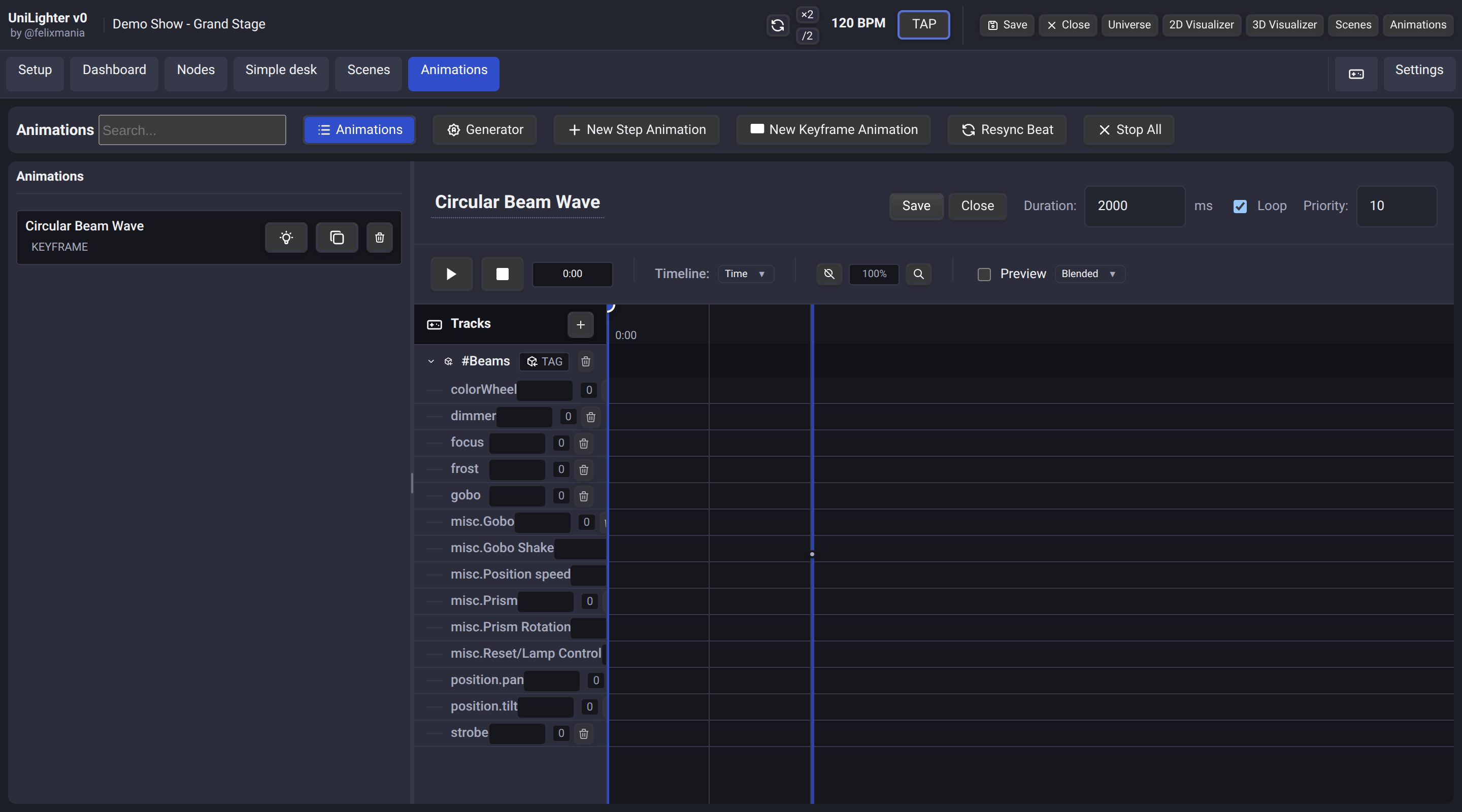
- 🎞️ Keyframe Animation Timeline: Master continuous multi-track timelines, easing curves, marquee selection, keyboard shortcuts, and master aggregation tracks.
- 🌐 Spatial Matrix & Choreography Editor: Master 2D emitter mapping, pixel canvas drawing, raster motion paths, and procedural spatial wave generators.
Editing on phones
On a phone the animation list opens first, and each animation opens on its own screen. Return using the back link or the Animations navigation tab. The choreography editor also adapts to phone layouts. Search is ready for typing on desktop; Escape clears the query.
Keyframe animations can import selected scene parameters at the playhead. For procedural moving-head paths outside a timeline, see Movement.
Reuse and deletion
Include an existing animation in a Combo Function without copying its definition. Deleting an animation with usages shows its linked controls and memberships. The default retains repairable references; Also delete all buttons and widgets linked to it explicitly removes them. Other animations and group containers remain.