Every signal in Unilighter operates at an explicit numerical priority. When multiple sources send values to the same channel, the highest priority value wins:
| Priority | Name / Role | Usage & Description |
|---|---|---|
-10 |
Background | Idle default state when no show elements are running. |
0 |
Normal (Default) | Standard base layer for static Scenes and ambient looks. |
0–10 |
Layered Functions | Multi-layer show functions (e.g. ambient look at 0, color chase at 5, strobe accents at 10). |
100 |
Manual Control (PRIORITIES.manual) |
Manual operator adjustments via Device Control faders, knobs, or XY pads. |
101 |
Macro Overrides | Show-critical macro functions designed to override manual operator adjustments during a song climax. |
665 |
Preview Blackout | Dimmer-zero requests used to isolate a function preview. |
666 |
Function Preview / System (PRIORITIES.system) |
Function preview and scene editing. Overrides requests below this priority. |
1000+ |
Technical Safety | Venue safety overrides, smoke machine safety cuts, or work lights that must persist even during solo preview. |
| Universe Level | Simple Desk Override | Simple Desk faders override any channel value while holding control. |
Inspect the control layers
Open Layers in the top bar to trace the functions controlling each fixture property. It is available to all operators. The diagram distinguishes winning requests from overridden requests; select a property to release one request or deactivate its source function on every fixture. The current version has no separate built-in preview layer at 667.
Inspect individual misc parameters
In developer mode, the top bar also provides Controls. Expand a fixture, then misc → Global. Each named misc parameter has its own accordion, including parameters with no active control requests.
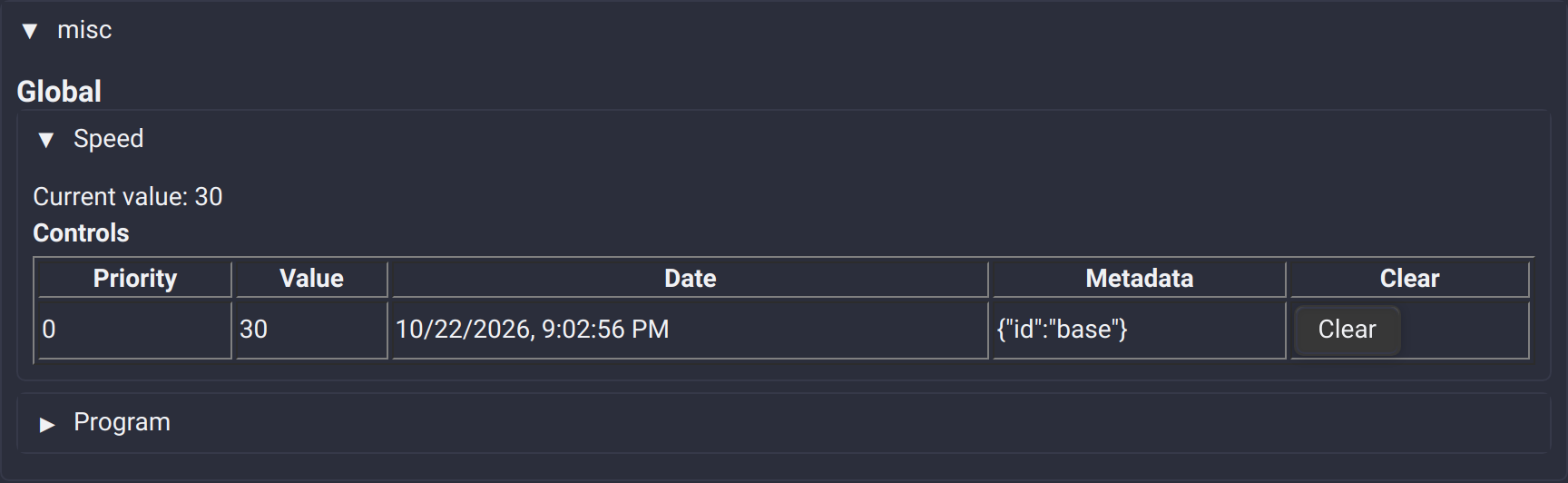
Expand a parameter to see its Current value and a table of requests with their priority, value, date and metadata. Clear removes matching requests for that parameter; it does not stop the source function, which may write the value again. Other misc parameters and module properties keep their control requests.
🔒 Control & Release Mechanics
Node Graphs have a Priority field in their editor toolbar, defaulting to 0. New Device Output nodes inherit it, including outputs inside nested Groups. Enable a node's Custom priority switch to give that output an independent priority. Older projects retain their previous per-node priorities with this switch enabled.
When an operator touches a Device Control fader or XY pad, that parameter immediately gains Manual Control at priority 100.
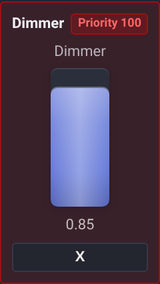
- Red Border (
has-control): Signals that this parameter is locked under manual operator control. - Release Button (
X/Release): Clicking Release clears priority100, immediately returning control to background scenes, animations, or node graphs.
🟡 Inconsistent Group State
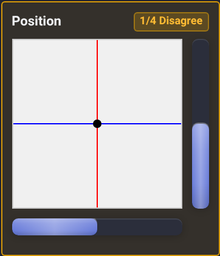
- Yellow Border (
inconsistent-value): Appears on tag controls when fixtures in the group have differing values (e.g. one light was adjusted separately). - The count badge (e.g.
1/4) shows how many fixtures match. Touching the control synchronizes all fixtures in the group.