Function Widget
The Function Widget (functions) is the central trigger pad of the Unilighter console. It gives operators instant, one-touch control over all pre-programmed show assets during live performances.
In Cue List mode, the optional Dark Prep setting prepares dark fixtures for upcoming cues. It is off by default; see Cue Lists for navigation and activation behavior.
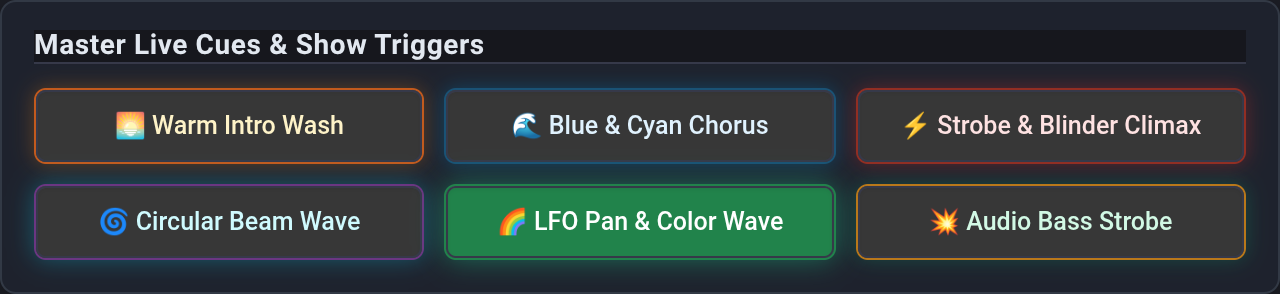
🎯 Supported Function Types & Visual Color Coding
Each function type features distinct visual styling, custom border glow, and emoji indicators for immediate recognition on a dark stage:
1. Static Scenes
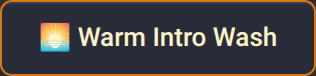
- Visual Style: Amber / Orange border glow.
- Behavior: Applies saved static lighting cues, color moods, and position presets.
- Read more in the Scenes Guide.
2. Keyframe Animations
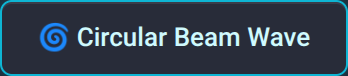
- Visual Style: Cyan / Royal Blue border glow.
- Behavior: Starts dynamic multi-track motion chases, wave generators, and tempo-locked lighting sequences.
- Read more in the Animations Guide.
3. Node Graph Procedural Macros
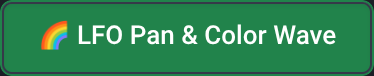
- Visual Style: Emerald Green border glow.
- Behavior: Toggles background procedural Node Graphs on and off. Perfect for audio-reactive bass pulses, continuous LFO pan/tilt sweeps, and generative rainbow waves.
- Reuse one effect with different parameters by placing a Shared Subgraph instance in each calling graph and assigning those graphs to separate buttons.
4. Combo Functions
A reusable Combo Function coordinates existing scenes, animations and node graphs in All or Random mode. New Combo buttons inherit the shared name and use a purple default colour.
Adding functions
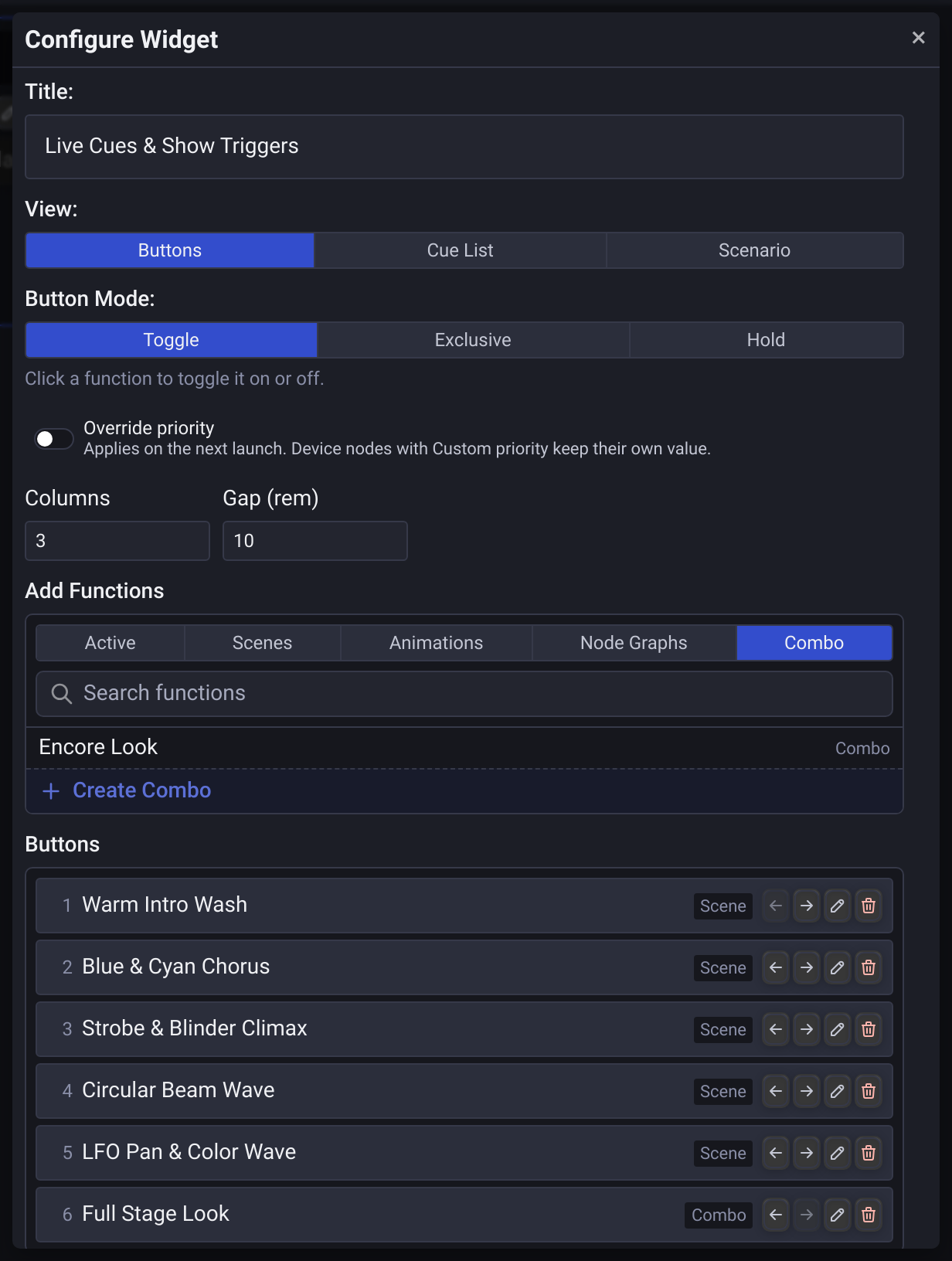
In dashboard Edit mode, click the widget to open its settings. The Add Functions block combines function-type filters, search and available functions in one list. Choose a row to append it to the widget. In Buttons view, functions already on the widget are hidden from this list. Remove a button from the Buttons list to make its function available again. Cue List and Scenario allow the same function more than once.
Long lists scroll within the available-functions area. Rows keep their normal height as more functions are added, so names remain readable; use search to narrow the list.
You can also add functions without opening the dashboard editor:
- Capture Scene: turn on widgets in the Add to row before Create. The new scene is added to each selected widget. See Add scenes to the dashboard.
- Add to widget: the paperclip action in each row on the Scenes and Animations screens, and in the Scene Editor header, lists every Function Widget, including widgets inside groups. Use Search widgets… to filter the list by name. Add adds the function to that widget; a widget that already contains it shows Added. You can add it to several widgets before closing the list.
For a scene open in the Scene Editor, Add first saves its current name and parameter edits, then creates the widget button with that saved name. The editor remains open; closing the list without adding does not save edits. In Capture Scene, Create saves the capture before adding it to the widgets selected under Add to.
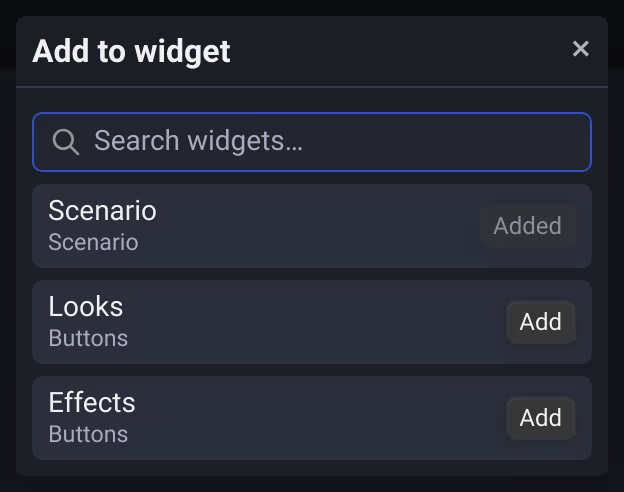
These shortcuts always add to the end: a new button in Buttons view, a new cue at the end of a Cue List, or a new line at the end of a Scenario script. They never remove a function from a widget.
🕹️ Operating Modes
Select Buttons, Cue List, or Scenario directly with the View radio buttons. The settings window keeps the same width and height when switching views. Scroll inside the content area to reach additional settings; the header and close button stay visible. The window fits smaller screens and follows the application UI scale. In Buttons, Columns and Gap (rem) sit side by side.
The selected radio option keeps its accent colour when hovered. When scrolling the Buttons or Cue List entries reaches the top or bottom, continued scrolling moves the settings window without moving the pointer out of the list.
Override playback priority
Enable Override priority in the widget settings to show the Priority field. It is off by default, so existing widgets keep using each function's saved priority. The field starts at 0 and remembers its value when the switch is turned off.
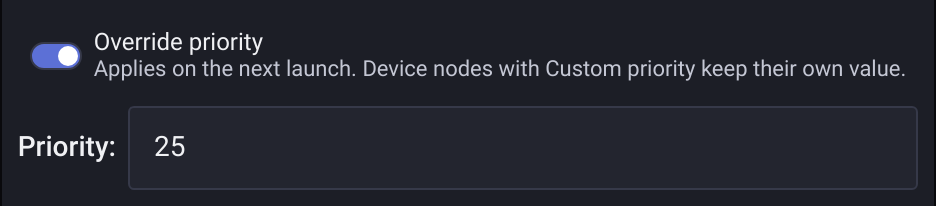
One value applies to Scenes, Animations, Node Graphs and new Combo member launches from this widget in all three views, including Random, MIDI bindings, and remote actions. Higher priorities take precedence over lower ones. Scene fades and cue transitions retain the launch priority when they finish.
Changes apply on the next launch. A running function keeps its launch priority until stopped, and its saved settings stay unchanged. Playback remains shared across the project: the widget that starts the function sets its launch priority, and any existing stop control can stop it.
Saving edits to a running Scene updates that launch at its overridden priority; this also applies to edits made through connected automation. Cancel removes the editor preview without changing the launch priority or interrupting an ongoing fade or cue transition. Leaving the Scene Editor also releases only its preview. Reopening a project or importing it from a file restores active Scene priorities so the usual stop controls still release them. Repeated cue launches retain their overridden priority after reopening, including fades whose target values are unchanged. Show changes is a separate editor preview and does not turn Scene playback on or become part of the saved playback state.
For Node Graphs, the override replaces the graph's playback priority, including Device outputs inside nested Groups and Shared Subgraphs. Device nodes with Custom priority enabled keep their own value. Stopping the graph clears its temporary override; starting it outside an overriding widget uses its saved priority again. See Node Graph priorities and Device output priorities.
Buttons: Toggle, Exclusive, or Hold
In Buttons view, choose one Button Mode with the radio buttons:
- Toggle (default): Click a function to turn it on or off.
- Exclusive: Starting a function turns off the other functions in this widget, across Scenes, Animations, Node Graphs and Combos. For example, starting a Node Graph releases an active Scene, and starting a Scene stops an active Node Graph. Click the active function again to turn it off. Unrelated functions remain unchanged. Shared participants of overlapping Combos stay running.
- Hold: A function is active while its button is held; releasing the button turns it off. Other active functions remain available.
These modes are mutually exclusive. Projects with the former Hold and Exclusive switches both enabled use Hold.
Random in Buttons view
Random appears in the widget header in Exclusive and Hold:
- In Exclusive, it selects a different inactive function and releases the other functions in this widget across all types. The selected function stays on.
- In Hold, press and hold Random to activate a randomly selected inactive function. Releasing turns off that function without restoring or stopping other functions. The next hold avoids the previous random function.
- Consecutive random selections avoid the last random function, including after it has stopped. Missing functions are skipped. If there is no eligible alternative, nothing changes.

Cue List and Scenario
Cue List provides First, Prev, Next, Last, and On / Off. Prev and Next stop at the ends of the list unless Loop Prev/Next is enabled in the widget settings, which makes them wrap around. Its Random button selects another function without reordering the list. An optional Shuffle button changes the saved cue order and selects the first shuffled entry; it is hidden by default.
Scenario embeds a rich-text script with inline cues and a stopwatch. Random and Shuffle are unavailable in this view.
Read the Cue Lists & Scenario Guide for cue selection, transitions, and the Shuffle warning.
MIDI and Remote Control
Map Random and the enabled Shuffle separately using Assign Mode. Random keeps its mapping when switching views and button modes. For Hold, use a MIDI mapping that supplies press and release events; Note Off or a Note On with zero velocity releases the random function.
The same actions are available in Remote Control. A held random function is released when the last controller releases it or disconnects.
Combo Functions and active functions
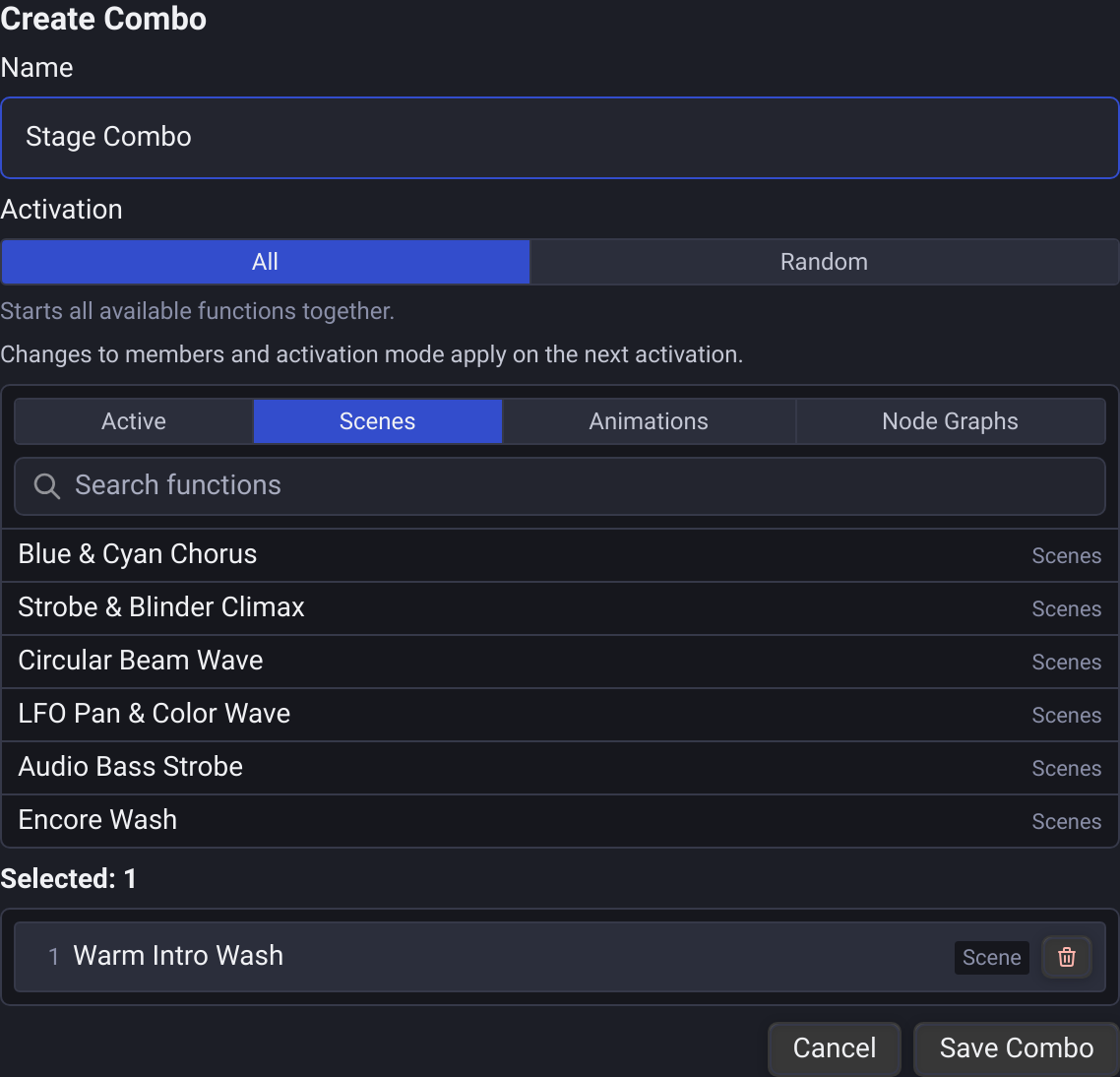
The function picker opens on Active, followed by Scenes, Animations, Node Graphs and Combo. Search or choose a function-type filter to attach a function. In the Combo filter, the tinted Create Combo row with a plus icon appears after the available definitions. It remains available when search has no matches. Choose it to open the reusable definition editor inside these widget settings. Save Combo adds its button and returns to the settings; Cancel returns without creating a definition. In Scenario, the new cue is inserted at the preserved text cursor and inherits the shared Combo name, including later library renames. Combo is supported in Buttons, Cue List and Scenario.
Combo: Running Functions appears at the bottom of the widget settings when at least one Combo is assigned. It chooses what to do when a newly activated Combo includes a function that is already running. Keep Running is the default. Restart resets running animation/graph phases on a fresh Combo activation; existing scenes retain their output in both modes. A repeated activation of the same active Combo keeps its first launch settings.
The Buttons list below the picker shows numbered rows with each function's name and type. Use the left/right arrows to reorder, the pencil (Edit button) to change the local label and colour, or the trash icon (Remove button) to remove only that widget entry. The first and last arrows are disabled at the corresponding ends. Edit Combo inside the button editor opens its shared definition. On the widget itself, the same four actions sit above each button in Edit mode, leaving its label unobstructed; long names remain available in full in the widget settings. Convert to Combo in the button editor opens the same embedded editor, with the original function already selected. Conversion happens only on Save Combo and retains existing labels, assignments, appearance and transitions; Cancel keeps the original button. The refresh icon beside the label (Reset to Function Name) prepares shared-name inheritance; Save or Enter in a field applies it, while Cancel or Esc preserves the original local label. Missing targets can be replaced from the button editor without saving the diagnostic missing-function marker into their labels. See Combo Functions for ownership, manual stops, naming, safe deletion and project reopening.