The Value Node (ValueNode) creates interactive manual user interface controls directly on the graph canvas. It enables operators to tweak multipliers, thresholds, oscillator speeds, and offsets live during a show.
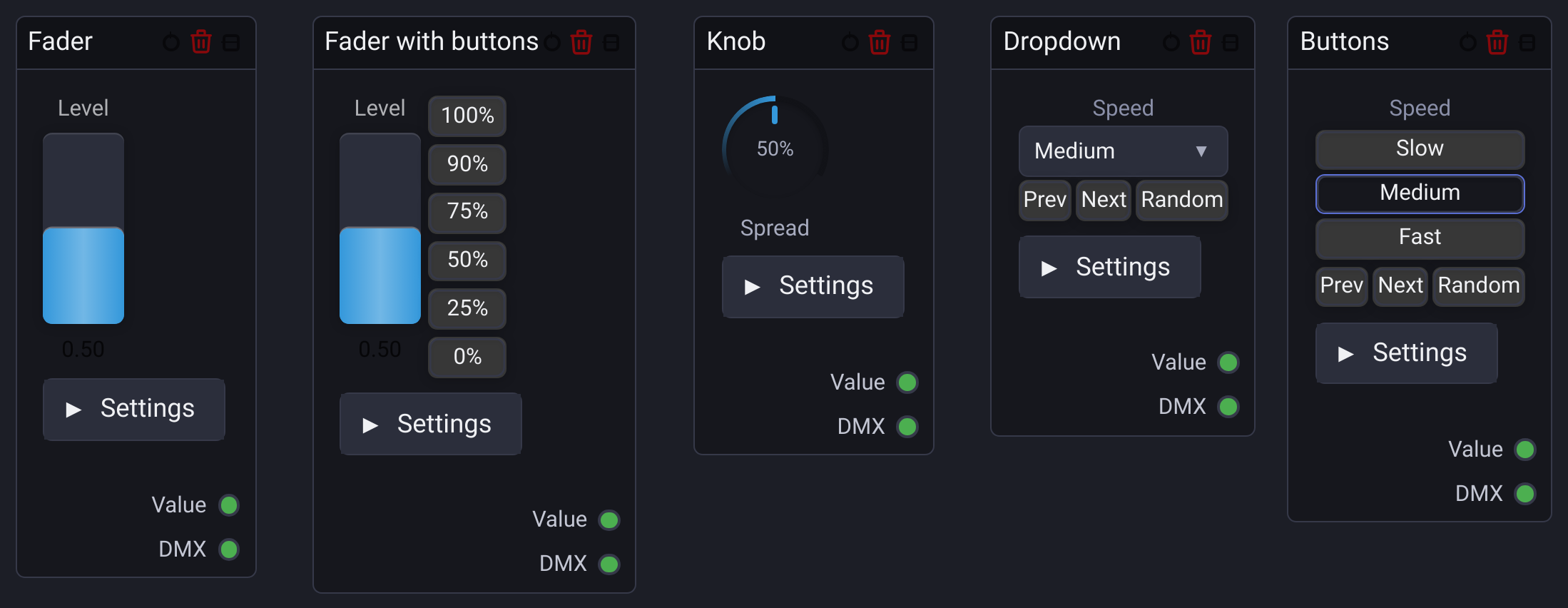
🎛️ UI Display Modes
In Add Node, search for Fader, Fader + Buttons, Knob, Dropdown, or Buttons, then press Enter or click the result. The new Value node starts in that display mode. For example, Kno followed by Enter creates a Knob. With an empty search, the combined Fader/Knob/Dropdown entry keeps its default Fader with buttons mode. All variants share the same settings and sockets, and the display mode can be changed afterward.
- Fader: Vertical slider for continuous numerical values.
- Fader with buttons: Vertical slider with quick preset buttons.
- Knob: Rotary control for continuous parameters such as speeds, frequencies and percentages.
- Dropdown: Text menu mapping friendly labels to discrete numerical values, such as Slow = 0.25, Medium = 1.0 and Turbo = 4.0.
- Buttons: Button bank that selects one configured numerical value.
Switch options during a show
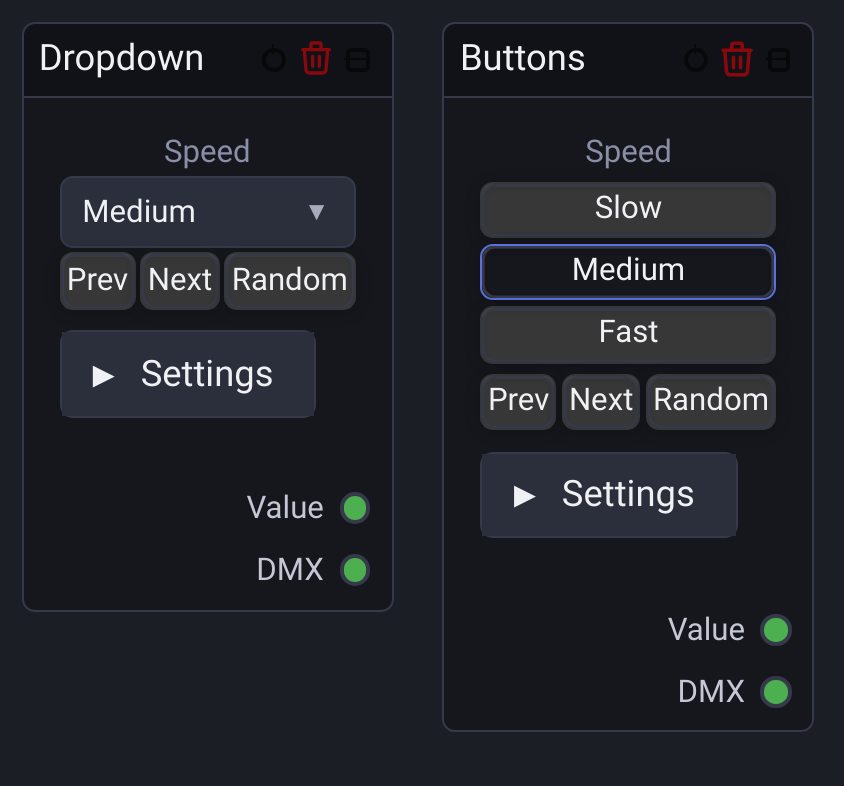
In Dropdown and Buttons modes, the small Prev, Next and Random buttons appear below the selector or button bank:
- Prev selects the preceding option; from the first option it wraps to the last.
- Next selects the following option; from the last option it wraps to the first.
- Random selects an option with a different numerical value. Options with the current value are excluded, even if their labels differ.
The list order controls Prev and Next, regardless of the numerical values. With one option, Prev and Next select it; Random has no alternative to choose. With an empty list, these actions leave the value unchanged.
If the current value is absent from the list, Next selects the first option, Prev selects the last, and Random chooses from the whole list.
The buttons also appear in the Node Graph Widget. On the Dashboard, assign each button independently to a MIDI event or keyboard shortcut using Assign Mode. Assignments are configured on the Dashboard, not on the graph canvas, and remain attached to the same node when switching between Dropdown and Buttons modes.
⚙️ Configuration Properties
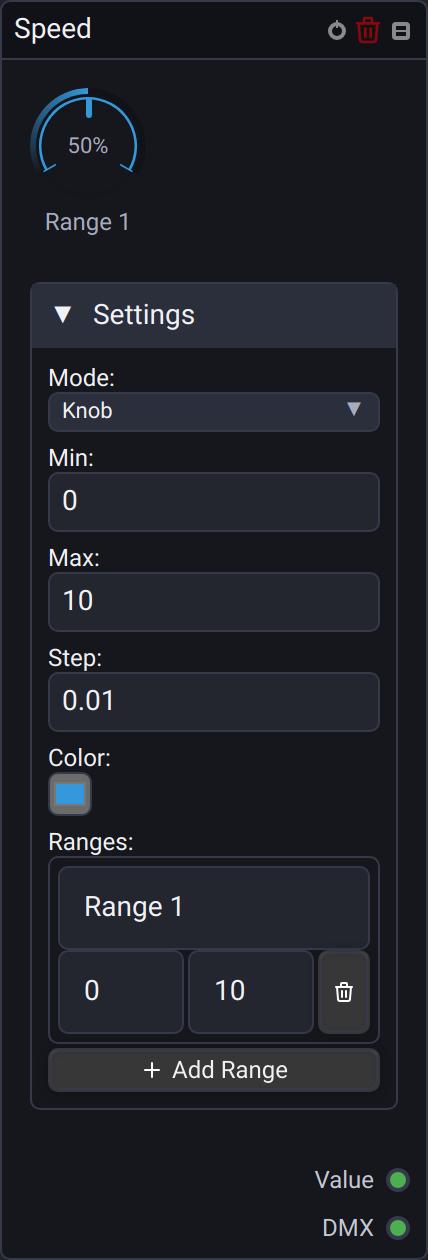
- Min / Max: Bounds for Fader and Knob values, such as
0.0 – 1.0,0 – 255or-100 to +100. - Step: Increment size for Fader and Knob controls, such as
0.01for fine adjustments. - Ranges: In Fader and Knob modes, name intervals of the control value using Min and Max. Use the trash button beside an interval to remove it, or Add Range to create another.
- Options: In Dropdown and Buttons modes, add or remove options and edit each option's label and numerical value. These values are used directly, without clamping to the Fader bounds.
🔌 Socket Outputs Reference
| Output Socket | Data Type | Range | Description |
|---|---|---|---|
| Value | Number |
Current numerical value | The selected option's value, or the current Fader / Knob level. |
| DMX | Number |
Calculated from Min / Max | The numerical value mapped from Min / Max to 0–255 and rounded. |