The Router selects one of several input signals and forwards it to one Output. Use it to combine alternative processing paths, including branches selected by a Splitter.
Create with a selected mode
Search Router in Add Node to choose Switch (Router) or Auto (Router). Click the result, or highlight it and press Enter, to create the router with that Selection mode already chosen. Auto (Router) immediately hides the Switch socket in the editor, even before the graph is enabled.
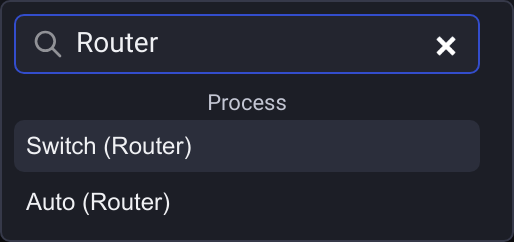
With an empty search, the compact Router entry still creates Switch mode. You can change Selection on the node afterward.
Selection
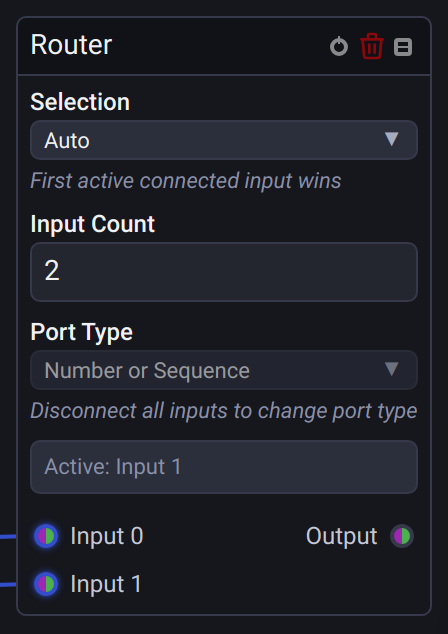
- Switch is the default, including for existing projects. Its numerical input chooses Input 0, Input 1, and so on. Only a whole number within the configured input range selects a signal.
- Auto hides the Switch socket and chooses the first active connected input in numerical order. If several are active, Input 0 takes precedence over Input 1, regardless of which updated most recently. Unconnected inputs are ignored.
- With no active connected input in Auto, the output becomes inactive and downstream Device nodes release their own control.
- Returning from Auto to Switch restores the selector socket and any existing selector wire and value. They are retained but ignored and hidden in Auto.
The node displays the selected input or None. Inactive alternative inputs do not disable the selected route. In Switch mode, an inactive selected input or selector from a Splitter makes the output inactive too.
When no Splitter or Auto Router remains in the graph or its nested Groups, Switch uses the established hold-last behavior: an invalid selector sends no update, and downstream devices retain their last control values. Returning the last Auto Router to Switch or removing the last Splitter restores this behavior without reloading the project.
Signal settings
Input Count sets the number of alternatives, from 1 to 16. Port Type supports Number, Sequence, Number or Sequence, and Audio. Number or Sequence preserves scalar and sequence values without flattening them. Disconnect signal inputs before changing the type.
One selector for several variations
Connect one signal to a Splitter, process its outputs differently, and connect those paths to this node. Choose Auto on the Router and keep Disable inactive branches enabled on the Splitter. Only the Splitter needs a Switch source; Router input numbers do not need to match Splitter output numbers.
If inactive-branch disabling is off, the alternative paths remain active with their last input values, so Auto continues choosing the lowest active input rather than following the Splitter selector.
See the Splitter guide for device switching, timing, and branch-merging rules.