Install Unilighter Desktop on macOS
Thank you for helping us test Unilighter Desktop for macOS.
This is an early test build. It is not yet notarized by Apple, so macOS will display a security warning during the first launch.
This is expected. The steps below show how to allow this specific copy of Unilighter to run.
You do not need to disable macOS security features or change Gatekeeper globally.
1. Download Unilighter
Please use the download link provided in your email.
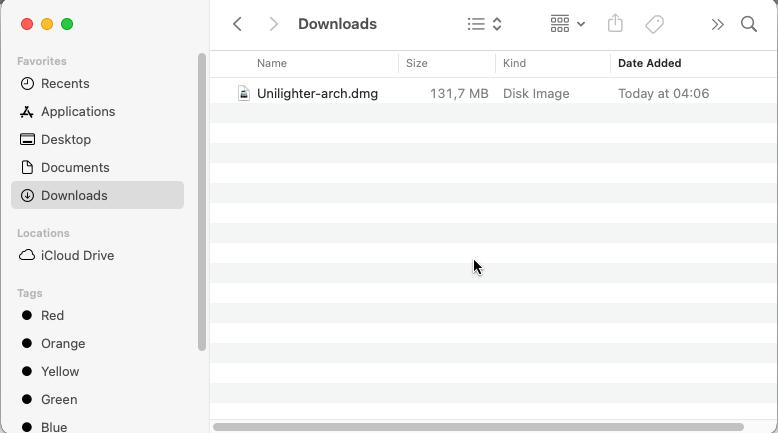
2. Open the DMG
Open the downloaded .dmg file.
You should see the Unilighter application.
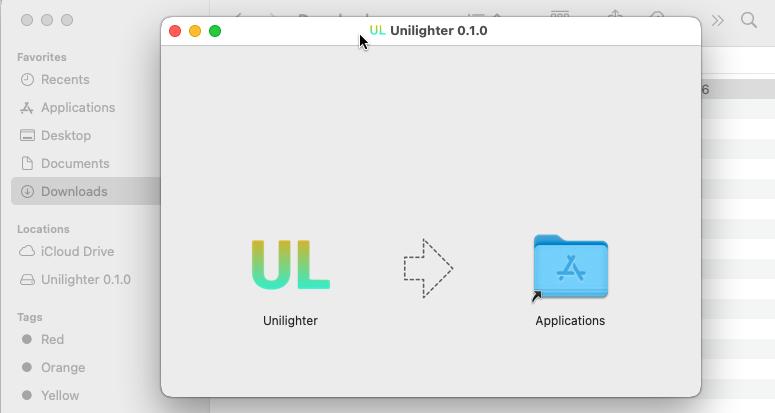
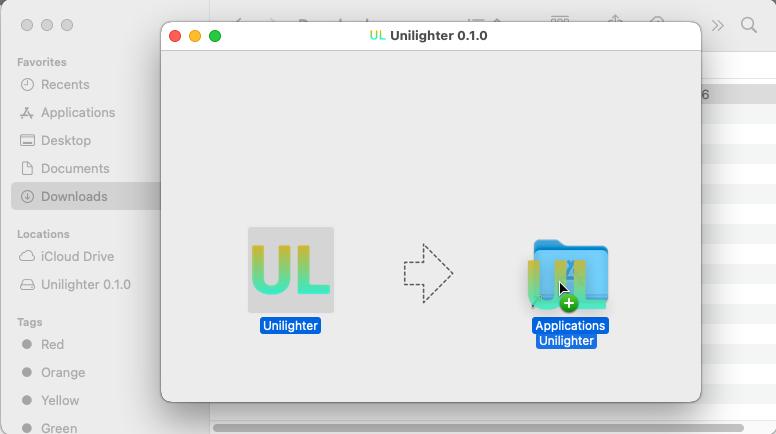
Drag Unilighter into the Applications folder.
3. Try to launch Unilighter
Open:
Finder → Applications → Unilighter
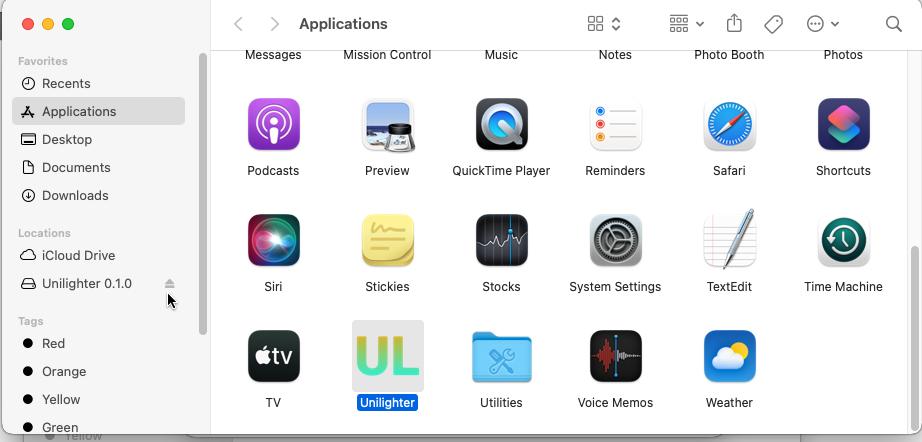
On the first launch, macOS may display a warning saying that the developer cannot be verified or that Apple cannot verify the application for malicious software.
This happens because the current test build has not yet been notarized by Apple.
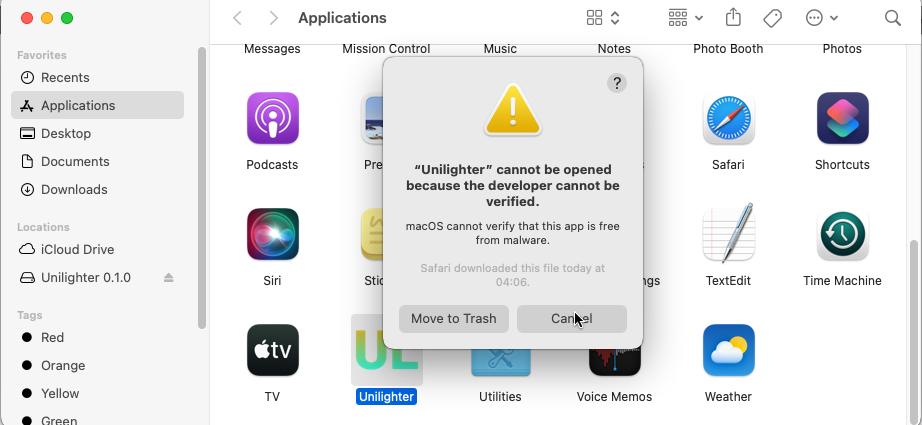
Close the warning.
4. Allow Unilighter in macOS settings
Open:
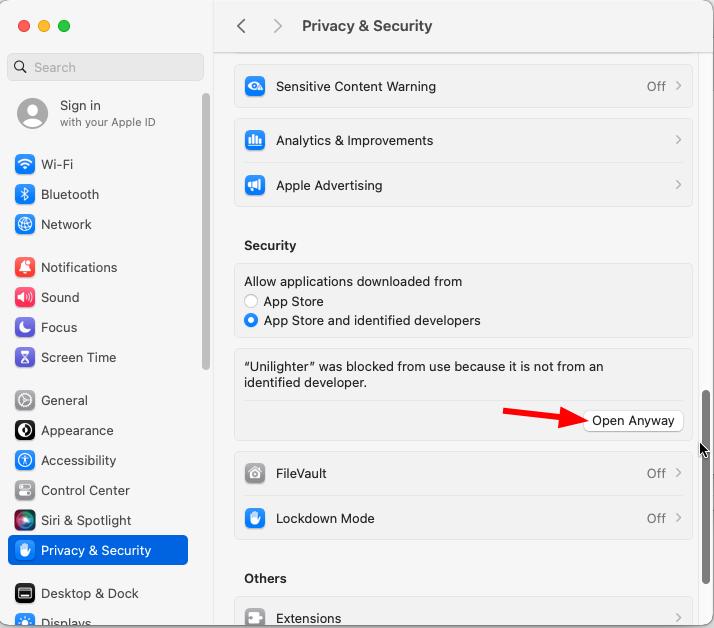
System Settings → Privacy & Security
Scroll down to the Security section.
You should see a message saying that Unilighter was blocked from use because it is not from an identified developer.
Click:
Open Anyway
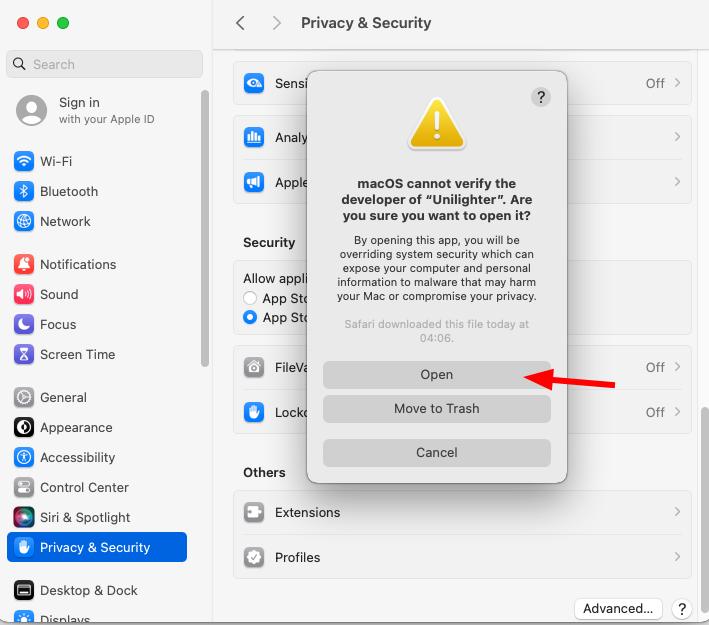
macOS may ask you to authenticate using your password or Touch ID.
Confirm the action.
Another confirmation dialog may appear. Click:
Open
5. Launch Unilighter
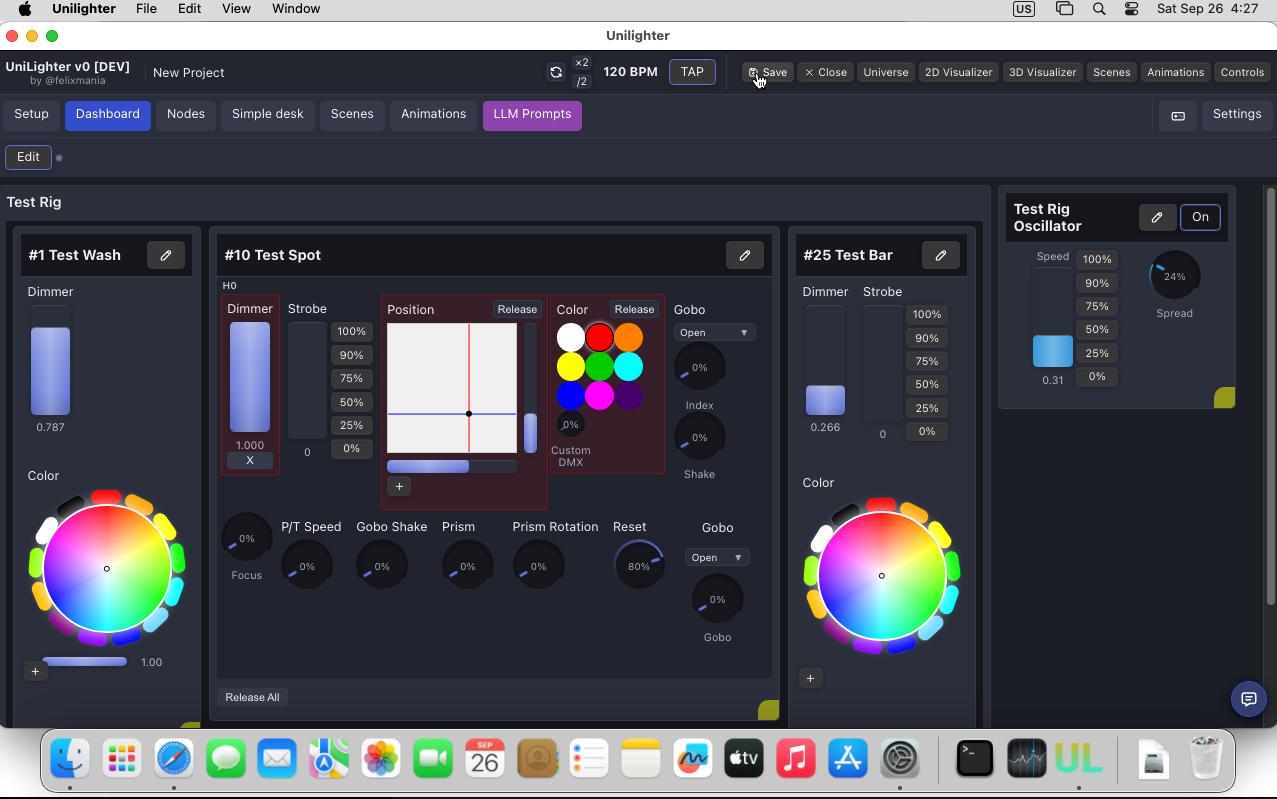
Unilighter should now open normally.
You only need to approve this application once. Future launches should work directly from the Applications list.
If something goes wrong
Since this is an early macOS build, issues are possible.
If Unilighter does not launch, MCP does not connect, or macOS shows a different warning than the one described above, please contact [email protected].
If possible, include:
- a screenshot of the error;
- what you were doing when it happened;
- whether restarting Unilighter changes anything.
We will help you troubleshoot the issue directly.
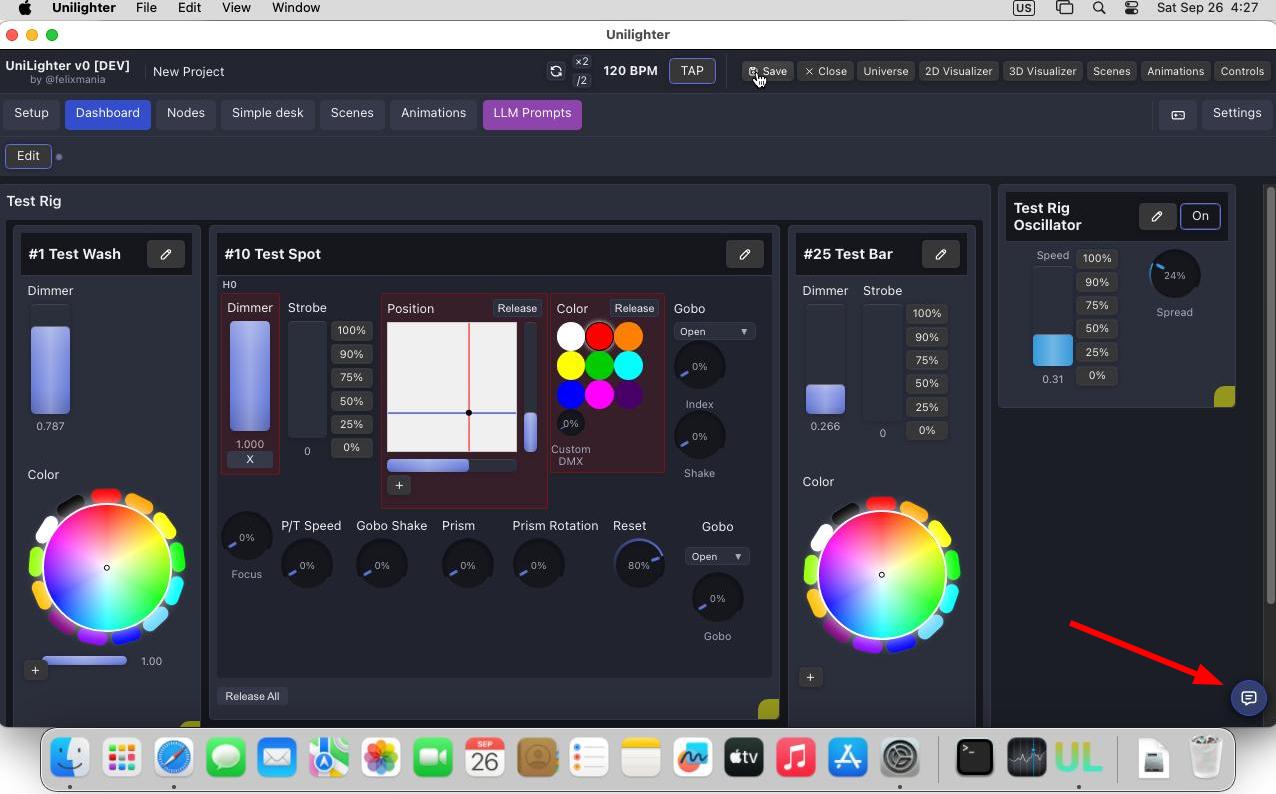
If the app opens successfully and you encounter an issue during use, you can click the floating Feedback button in the bottom-right corner of any screen.
Tip
You can use it for bug reporting, suggesting improvements, feature requests or giving other type of feedback.
About this test build
This version of Unilighter Desktop is being distributed to a small number of testers before the public macOS release.
The final public version will be signed and notarized for macOS, so these additional security approval steps will not be required.
Thank you for helping us test Unilighter on macOS 🔥
The Unilighter Team