
Local by design
Connect and control over your local network. Solo keeps the app, projects, fixture profiles, and show assets available at the rig without depending on the cloud.
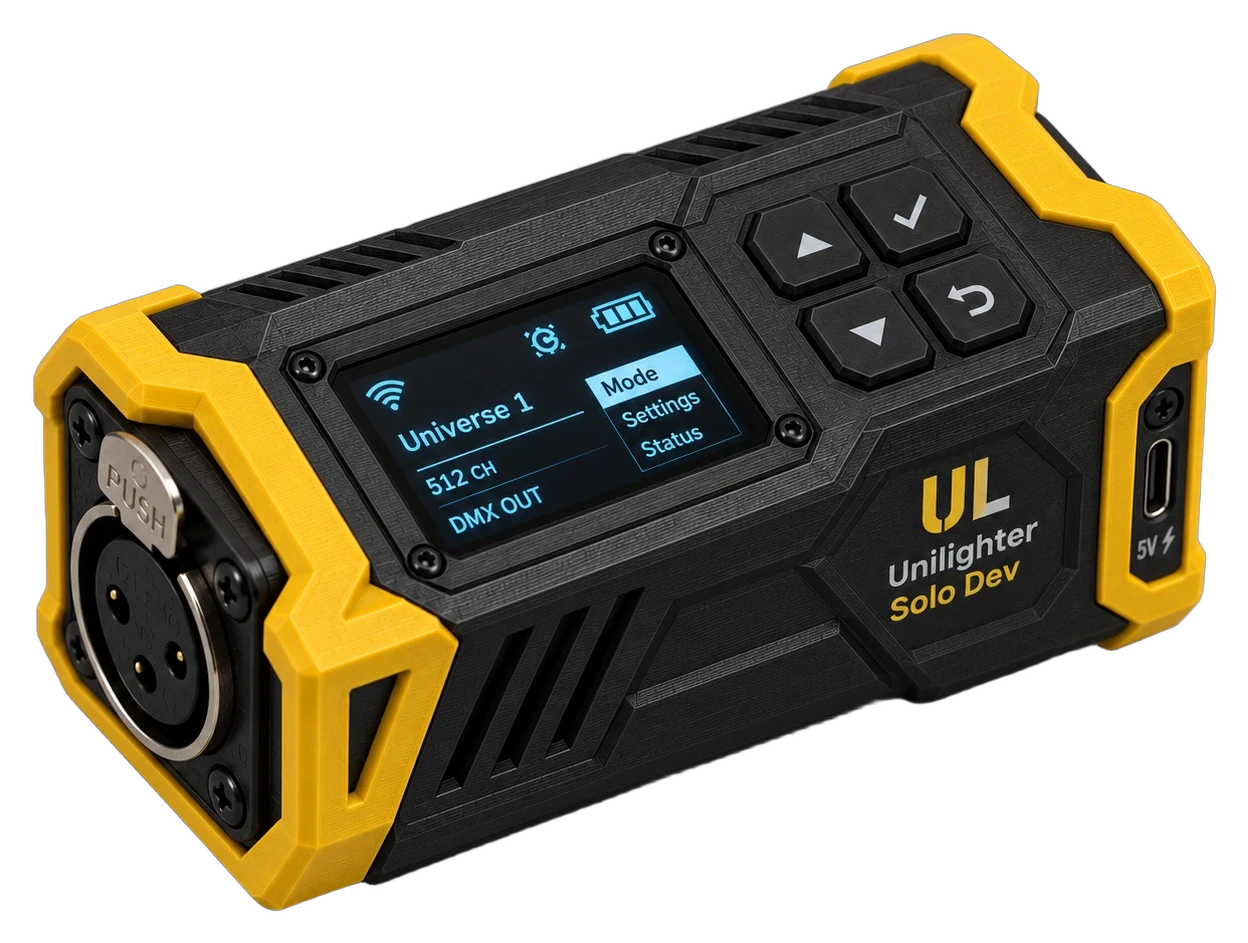
Unilighter Solo connects the console in your browser directly to the rig. It serves the app over your local network, keeps projects and fixture data close at hand, and outputs a full DMX universe.
Plug and play
No drivers to install and no separate console app to maintain. Solo brings Unilighter, your show data, and a physical DMX output together on the local network.
Plug in USB-C power and connect the physical DMX output straight into your fixture chain (full 512 channels).
Connect over Wi-Fi and open Unilighter in a modern browser. The browser runs the console while Solo handles local assets, storage, and DMX output.
Projects and fixture profiles are stored on Solo, ready for the next session from your chosen phone, tablet, or laptop.
More than a USB adapter
Solo keeps everything the rig needs close at hand: the app and show files are available on the local network, while a full DMX universe reaches your fixtures over XLR. You stay in control from the familiar Unilighter interface in your browser.
Connect and control over your local network. Solo keeps the app, projects, fixture profiles, and show assets available at the rig without depending on the cloud.
Focus fixtures from your phone on stage, trigger scenes from a tablet in the booth, or build cues on a laptop. One active browser controls the rig at a time.
Control fixtures by color, position, and beam instead of raw channel numbers. Use live dashboards, keyframe timelines, and node graphs for full creative control.
One full 512-channel universe handles dozens of moving heads, pars, and pixel fixtures. Compact, durable, and built for fast gig setups.
Discover and identify compatible fixtures, set DMX addresses and operating modes remotely, and read status and diagnostics over the same DMX line.
Who it's for
Keep the controller in your rack. Trigger beat-synced scenes from your phone, connect a MIDI controller, and run lights alongside your set.
Mount Solo permanently with the rig. Give bartenders and managers a clean touchscreen dashboard—no PC to freeze, crash, or clutter the counter.
Recall song looks with MIDI footswitches and automate dynamic light shows without buying or learning an expensive touring console.
Unilighter Solo puts local app access, show storage, and a full DMX output into a rugged, pocket-sized enclosure. Plug in power, connect DMX, and open your show from a browser on the same network.
Your controlling browser remains the live console. Solo keeps the rig-side setup tidy and your show data ready wherever you install it.
FAQ
Not yet. Solo is currently in active development. Express your interest below to help us gauge demand and prioritize hardware specs.
Solo serves the Unilighter app and assets, stores projects and fixture profiles, and outputs DMX. The active browser runs the lighting engine and controls the show.
The fixtures hold their last look instead of abruptly going dark. Active animations stop until the controlling browser reconnects.
No. Solo and the controlling browser communicate over the local network. The app, show files, and fixture profiles remain available at the rig without an internet connection.
Each Solo is planned to output one full 512-channel DMX universe via physical XLR. For larger multi-universe shows, use Unilighter Desktop with Art-Net or sACN.